



Every e-commerce business runs on trust. Customers share their personal details, addresses, and payment information because they believe your website is safe. If that trust breaks, recovering it becomes very difficult. A weak password, outdated plugin, or unsecured checkout page can quickly lead to fraud, hacked accounts, and serious damage to your brand reputation.
Many businesses focus on sales and marketing first, but website security often gets attention only after a problem happens. According to the World Economic Forum Global Cybersecurity Outlook 2026, 73% of respondents said they or someone in their network had experienced cyber-enabled fraud in the past 12 months. This shows why protecting your eCommerce website is not just a technical task, but a major business priority.
Why Is eCommerce Website Security So Important?
An eCommerce website is much more than a digital storefront. It stores customer profiles, passwords, saved addresses, payment records, order history, invoices, and business reports. This makes it one of the most attractive targets for hackers because a single successful attack can expose both personal and financial information.
When security fails, the damage spreads quickly. Customers may stop trusting your brand, payment disputes may increase, and daily operations can come to a standstill. In many cases, businesses spend far more fixing the problem than they would have spent preventing it. Major risks businesses face include:
- Customer Data Theft
Personal information such as names, addresses, phone numbers, and passwords is extremely valuable for cybercriminals. This data can be sold, misused for fraud, or used for future phishing attacks. Once customers feel their information is unsafe, they often leave permanently and never return to the same platform.
- Payment Fraud
Hackers frequently target checkout pages, billing systems, and saved payment details because they provide direct financial access. Fake transactions, chargebacks, and unauthorized payments create immediate losses and often lead to customer complaints that affect brand trust.
- Website Downtime
Malware, ransomware, or heavy fake traffic can slow down your website or make it completely unavailable. If customers cannot browse products or complete purchases, even a few hours of downtime during a major sales period can cause serious revenue loss.
- Reputation Damage
Security issues spread very quickly through customer reviews and social media. One public data breach can make future customers question whether your store is safe enough to trust, even if the issue has already been fixed.
This is why security tips to protect your e-commerce business should be treated as part of everyday operations, not something handled only after an emergency.
How Does HTTPS and SSL Encryption Protect Your Website?
Use HTTPS and SSL Encryption because it protects the connection between your website and your visitors. Whenever a customer enters a password, address, or payment detail, that information travels between their browser and your server. Without encryption, attackers can intercept that data and misuse it.
HTTPS helps create a secure and private connection. It also improves customer confidence because users can see the secure lock icon in the browser, which signals that your website is protected and trustworthy. Why HTTPS matters:
| Security Area | Business Value |
|---|---|
| Customer Data Protection | Keeps personal and payment information secure |
| Customer Trust | Shows the secure lock icon in the browser |
| SEO Performance | Search engines prefer secure eCommerce websites |
| Checkout Safety | Reduces payment-related risks |
Main benefits include:
- Safer Customer Transactions
- Better Search Engine Visibility
- Protection From Data Interception
Why Should You Implement Strong Authentication and Access Control?
Many website breaches happen because of something simple—weak passwords. If attackers gain access to just one admin account, they can often control products, customer records, payment settings, and even the full backend of the website.
That is why businesses must Implement Strong Authentication & Access Control across the platform. Good access control not only stops hackers from entering. It also reduces mistakes from internal users who may accidentally create security risks. Important security steps include:
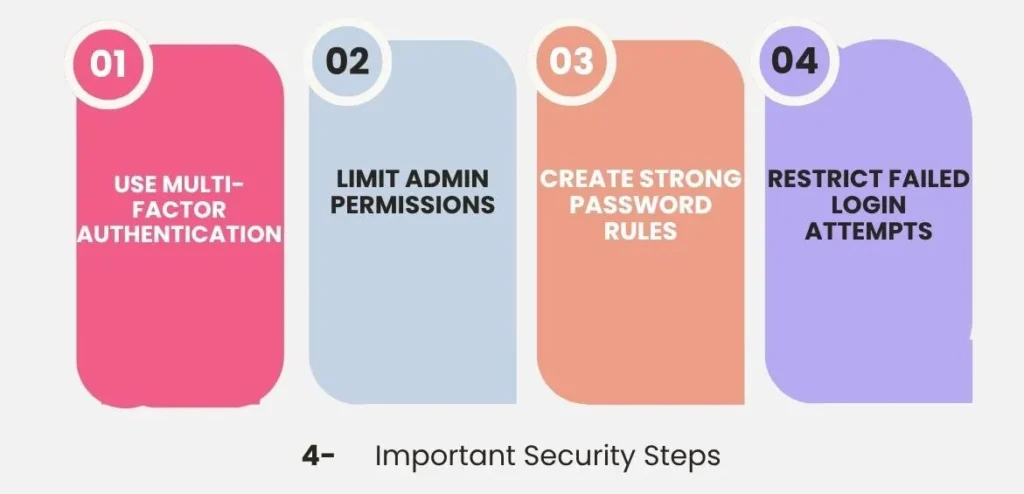
- Use Multi-Factor Authentication
Passwords alone are no longer enough. Multi-factor authentication adds another security layer, such as OTP verification or authentication apps. Even if someone steals a password, they still cannot log in easily without the second step. This creates a much stronger defense against unauthorized access, especially for admin accounts and payment management systems.
- Limit Admin Permissions
Not every employee needs access to reports, payments, customer records, and backend settings. Access should be given only according to job responsibility. This helps reduce accidental mistakes and protects the most sensitive areas of your business. For example, customer support teams do not need access to payment gateway settings.
- Create Strong Password Rules
Passwords should be long, unique, and difficult to guess. Simple combinations like admin123, store name, or mobile numbers make attacks much easier. Password managers can also help teams maintain stronger password habits without creating confusion.
- Restrict Failed Login Attempts
If too many wrong password attempts happen, the system should trigger temporary account locks or additional verification checks. This helps prevent brute-force attacks where hackers test thousands of password combinations automatically.
Strong authentication is one of the easiest improvements with the highest long-term value.
Why Must You Regularly Update Software, Plugins, and Themes?
Many businesses delay updates because they worry something might stop working. However, outdated systems are one of the easiest entry points for hackers. Attackers often search specifically for websites using old plugin versions because they already know the security weaknesses inside them.
Regularly Update Software, Plugins, and Themes because security patches are created to close those weaknesses before attackers can use them.
- Security Patches Solve Real Problems
Most updates are released to fix bugs and close vulnerabilities. Ignoring these updates means leaving known weaknesses active inside your website, especially in payment systems and admin panels, where the risk is highest. A delayed update can sometimes be the exact reason an attack becomes successful.
- Better Performance and Stability
Updated software often improves speed, checkout flow, and backend performance. Better speed creates a smoother customer experience and also helps your internal team manage operations more efficiently without technical delays. Security and performance often improve together.
- Stronger Plugin Compatibility
Old plugins can break shipping systems, customer accounts, and payment pages. These problems not only affect functionality. They also create hidden security risks that may not be noticed until real damage happens.
- Protection From Automated Attacks
Many hackers use bots that scan the internet looking for outdated websites. Fast updates reduce the chance of becoming an easy target because known vulnerabilities get closed quickly.
Updates should be treated like regular business maintenance, not optional work.
How Does a Web Application Firewall Improve Security?
Secure eCommerce website with a Web Application Firewall (WAF) because it works like a protective shield between your website and incoming traffic. Instead of allowing every request to reach your server directly, the firewall checks traffic first and blocks suspicious activity before damage happens.
This is especially important for e-commerce stores because checkout pages, login forms, and customer accounts are common attack points.
A WAF helps protect against:
| Threat Type | Protection Provided |
|---|---|
| SQL Injection | Stops harmful database attacks |
| DDoS Attacks | Filters fake traffic overload |
| Bot Attacks | Prevents automated login abuse |
| Malware Injection | Blocks malicious scripts and code |
Why businesses need it
- Protection From Automated Attacks
- Safer High-Traffic Campaigns
- Better Customer Confidence
Why Are Secure Coding Practices Necessary?
Ensure Secure Coding Practices from the beginning because many security problems start during development itself. If the code behind your platform is weak, even expensive security tools may not fully protect it later.
Poor coding can create vulnerabilities that allow attackers to steal customer data, break payment systems, hijack sessions, or access admin panels. These problems become much more expensive to fix after launch.
This becomes even more important when businesses invest in professional e-commerce app development services because a secure architecture should be built from day one, not added later as a repair process.
Good security begins with strong development decisions.
How Can You Protect APIs and Third-Party Integrations?
Modern eCommerce websites depend on many external systems such as payment gateways, shipping tools, CRM platforms, analytics software, and customer support solutions. These tools improve operations, but they also create more security entry points.
Protect APIs and Third-Party Integrations because every connected system becomes part of your security responsibility. Best practices include:
- Only verified systems should be allowed to connect to your platform. Strong API keys, token-based access, and request validation help prevent unauthorized usage and reduce hidden security risks. Weak API protection can expose customer data without obvious warning signs.
- Even trusted services can become risky if they stop receiving updates or experience security issues of their own. Regular reviews help businesses remove weak tools before they create larger problems.
- Many businesses keep old plugins they no longer use. Every unused tool increases the attack surface and creates avoidable risk. Fewer integrations usually mean stronger control and easier maintenance.
- Before choosing any external provider, review their compliance support, update history, and security practices. Your protection should include your partners, not only your own website.
Strong integrations require strong oversight.
Why Should You Enable Security Monitoring and Logging?
Enable Security Monitoring and Logging because most attacks do not happen instantly. Hackers often test weak pages, login systems, and admin panels quietly before attempting a full breach. Without monitoring, businesses usually discover the problem only after customers complain. Early detection can prevent major losses.
Why Is It Important to Keep Redundant Backups?
Keep redundant backups because even strong protection cannot guarantee zero risk. Ransomware, server failures, accidental deletion, and human mistakes can still happen. Backups are what allow businesses to recover quickly instead of rebuilding everything from the beginning.
A good backup strategy protects revenue as much as it protects data. A strong backup strategy includes:
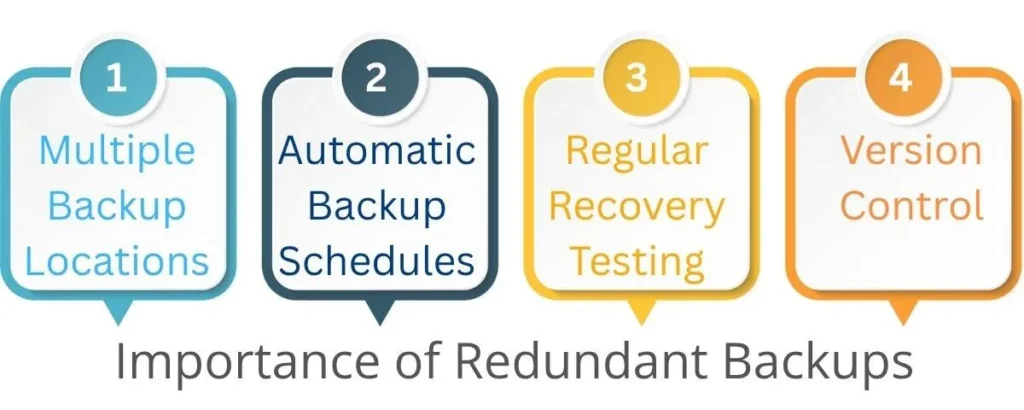
- Multiple Backup Locations
Do not keep every backup on one server. Use cloud storage and secure offline backups as well, so one failure does not destroy everything at once. This improves disaster recovery and makes business continuity much stronger.
- Automatic Backup Schedules
Manual backups are often forgotten during busy work periods. Daily or weekly automatic backups create stronger consistency and reliability over time.
- Regular Recovery Testing
A backup is only useful if it works properly during an emergency. Testing restoration regularly helps avoid great surprises when real problems happen.
- Version Control
Keeping multiple backup versions helps businesses recover from hidden malware infections that may not be noticed immediately. Older clean versions can sometimes save the entire platform.
Backups protect customer trust, operations, and long-term business continuity.
Why Should You Secure Payment Gateways and Customer Data?
Payment pages are the most sensitive part of any e-commerce website because this is where customers share billing information and complete transactions. Attackers focus heavily on checkout systems because they offer direct financial rewards.
Secure Payment Gateways and Customer Data because financial trust is directly connected to customer loyalty and repeat business. Important protection methods include:
- Use Trusted Payment Providers
- Enable Fraud Detection Systems
- Use Tokenization Where Possible
Why Should You Never Store Credit Card Data?
Never store credit card data unless it is necessary and fully compliant with strict security standards. Keeping raw card details creates major legal, financial, and trust-related risks.
If your database gets breached, customer confidence can collapse immediately, and recovery becomes extremely difficult.
Instead, businesses should focus on safer alternatives, such as PCI-compliant payment providers and secure transaction references. Better practices include:
- Use PCI-compliant payment providers
- Store only transaction references when needed
- Avoid saving full card numbers internally
- Protect billing details with strong encryption
Sometimes the safest data is the data you never store.
What Advanced Security Strategies Should Businesses Follow?
Basic protection is important, but growing businesses need stronger long-term planning. Advanced Security Strategies focuses on prevention, early detection, and fast recovery together.
Security should be treated like an ongoing business process, not a one-time setup during website launch. Advanced strategies include:
- Regular Security Audits
Professional reviews help identify hidden weaknesses before attackers find them. This allows businesses to fix risks early instead of reacting after damage happens.
- Penetration Testing
Ethical hackers test your website like real attackers and show exactly where security improvements are needed. This helps businesses understand practical risks more clearly.
- Employee Security Training
Many breaches start with phishing emails and human mistakes. Staff awareness training helps reduce avoidable incidents and strengthens daily protection.
- Bot Protection Systems
Credential stuffing, fake traffic, and automated abuse can damage both revenue and customer trust. Smart bot detection helps stop these issues before they affect customers.
Strong security should grow with your business.
Why Choose Dreamer Technoland for Secure eCommerce Website Development?
Building a secure eCommerce website is not just about adding security tools after launch. Real protection starts during development, from secure coding and safe payment gateway integration to strong API connections and customer data protection. This is why choosing the right development partner matters.
Dreamer Technoland helps startups, growing brands, and enterprises build secure, scalable, and user-friendly eCommerce solutions based on real business needs. The focus stays on security-first development, strong backend architecture, smooth third-party integrations, and long-term scalability. Along with development, ongoing support, updates, and maintenance help businesses stay protected as cyber threats continue to evolve. A strong technology partner helps you avoid costly mistakes and build a platform that is secure from the foundation.
FAQs
Q. What is the biggest cyber threat to e-commerce websites?
A. Phishing and payment fraud are among the biggest threats because attackers directly target customer accounts, admin logins, and checkout systems where money and sensitive information are handled.
Q. Is SSL enough to secure an online store?
A. No, SSL is only one part of website protection. Businesses also need strong authentication, WAF protection, monitoring, backups, and secure payment systems for complete security.
Q. How often should plugins and themes be updated?
A. Security updates should be installed as quickly as possible, especially for payment tools and admin systems. Weekly review schedules are strongly recommended for active stores.
Q. Should small online stores also invest in cybersecurity?
A. Yes, small businesses are often easier targets because attackers expect weaker protection. Even simple improvements like MFA, backups, and HTTPS can prevent major losses.
Q. Why should businesses avoid storing credit card data?
A. Storing raw credit card data creates serious legal and financial risks. Using trusted PCI-compliant payment providers is much safer and reduces the chances of major data breaches.