

Imagine your warehouse manager standing in the middle of a stockroom with 200 orders to process. The inventory data he needs is sitting on a desktop in the back office. He walks over, checks the system, walks back, and repeats this cycle all day. Meanwhile, a competitor’s team is doing the same job from a tablet, updating records in real time without moving from the floor.
This is not a hypothetical scenario. It is the operational reality for thousands of businesses that have not yet made the shift from traditional software to enterprise mobility solutions.
Enterprise Mobility Management Market Research
According to a report by Grand View Research, the global enterprise mobility management market was valued at USD 7.03 billion in 2023 and is projected to grow at a CAGR of 24.8% through 2030.
So, which approach is better for your business? The honest answer is that it depends on how your team works, where work actually happens, and how fast you are planning to grow. This article breaks down both clearly so you can make a confident decision.
What Exactly Are Enterprise Mobility Solutions?
Enterprise mobility solutions are software systems designed to help businesses run operations on mobile devices, whether that is a smartphone, tablet, or any connected device used outside a fixed desk. They give employees access to the tools, data, and workflows they need from wherever they are working, in real time.
In practice, enterprise mobility covers a broad range of capabilities. These include:
- Mobile applications built for specific business functions such as sales, logistics, or field service
- Mobile device management (MDM) to secure and monitor company devices remotely
- BYOD (Bring Your Own Device) frameworks that allow staff to use personal devices securely
- Cloud-based data access and real-time synchronization across teams and locations
- Mobile-first dashboards, digital approval workflows, and live reporting tools
The teams that benefit most from enterprise mobile app development are those that are never anchored to a desk. Field service technicians, delivery staff, on-site sales representatives, healthcare workers, and warehouse teams are all strong examples. For these professionals, mobility is not a luxury; it is a basic operational requirement.
Traditional Business Software: Still Running the Back Office
Traditional business software refers to desktop-based or server-installed applications that employees access from fixed workstations. These systems have formed the backbone of enterprise operations for decades and, in many sectors, they continue to do so.
Common examples include legacy ERP platforms, on-premise accounting systems, desktop CRM tools, and server-based HR and payroll software. These are systems built for employees who work in a controlled environment, at a desk, with a keyboard and a large screen.
There are still good reasons why businesses continue using them. The investment has already been made, the team is familiar with the interface, and some compliance frameworks are specifically designed around the audit trails and controlled access that fixed systems provide.
Additionally, for processes that do not require mobility, a stable and well-understood desktop system is not a problem that needs solving right now.
The challenge arises when businesses try to extend these systems to a workforce that no longer works exclusively at a desk. That is where the cracks start to show.
Side by Side: How the Two Actually Compare
Before making any decision, it helps to see the differences laid out clearly across the dimensions that matter most for business operations:
| Dimension | Enterprise Mobility Solutions | Traditional Business Software |
|---|---|---|
| Accessibility | Anywhere, any device, real-time access | Fixed location, office hours, VPN required remotely |
| Real-Time Data | Live updates and instant sync across all teams | Data updated at end of shift or on return to office |
| User Experience | Designed for daily use, intuitive interfaces | Built for power users, steeper learning curve |
| Integration | API-first, connects easily to cloud services | Limited to on-premise systems, costly integrations |
| Cost Structure | Subscription or custom build, lower infrastructure spend | High upfront licensing and hardware investment |
| Scalability | Scales with your team via cloud infrastructure | Scaling requires new hardware or server upgrades |
As the comparison shows, neither approach is universally better. The right answer depends on what your operation actually looks like on the ground.
Where Enterprise Mobility Pulls Ahead
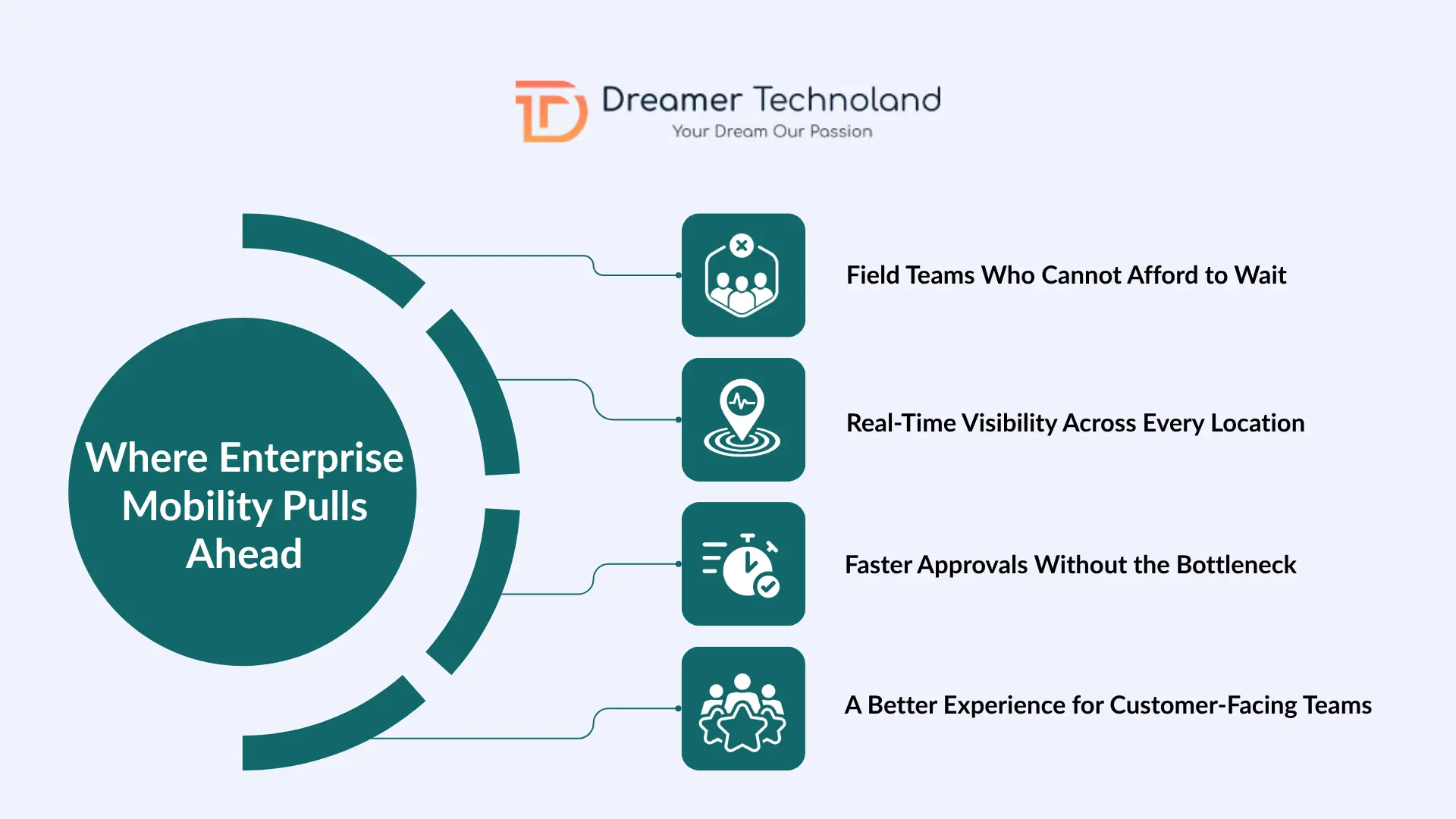
- Field Teams Who Cannot Afford to Wait
If a significant portion of your workforce operates outside a fixed desk, traditional software simply cannot support them efficiently. Field service teams, delivery staff, on-site technicians, and remote sales teams need tools that work where they work, not tools that require them to come back to an office to log data.
Enterprise mobile applications close that gap immediately. A field technician can update a job status, capture a client signature, and sync the data to your central system without leaving the site.
- Real-Time Visibility Across Every Location
Multi-location businesses running on traditional software often face the same frustration: nobody has a clear picture of what is happening across all sites until the end of the day, and by then the moment to act has passed.
Mobile enterprise application platforms solve this by giving managers live dashboards that reflect what is happening right now, whether it is inventory levels, delivery status, staff attendance, or project progress.
- Faster Approvals Without the Bottleneck
Waiting for someone to return to their desk is one of the most overlooked costs in business operations.
A purchase approval sitting in a desktop inbox for six hours, a client proposal waiting for sign-off because the decision-maker is traveling, or a leave request delayed because the manager is at an off-site meeting. These delays are small individually but they add up to significant lost time across a year.
Mobile workflows eliminate that waiting. Approvals, digital signatures, and status updates happen from wherever the decision-maker happens to be, and the business keeps moving.
- A Better Experience for Customer-Facing Teams
Customers do not care whether your team is at a desk or in the field. They want fast, accurate responses and real-time service updates.
Enterprise mobility gives front-line staff the information they need to deliver exactly that, from anywhere, without needing to check back with the office before answering a client’s question.
Where Traditional Software Still Makes Sense
To be fair to the other side of this conversation, traditional software still holds real value in specific scenarios. It would be wrong to suggest that every business needs to replace what is working.
Complex back-office financial operations, for example, are still well suited to desktop environments. High-volume accounting, payroll processing, and financial reporting benefit from large screens, keyboard-heavy input, and the precision that a stable workstation provides.
Similarly, some compliance frameworks in heavily regulated industries are specifically built around the controlled environments that fixed systems offer.
Furthermore, if your entire workforce works at desks all day with no operational need for mobile access, the investment in enterprise mobility adds cost without proportional benefit.
The key question is not whether traditional software is good or bad. It is whether it is limiting the parts of your business that need to move faster.
Most Businesses End Up Needing Both
Here is the insight that most comparisons leave out: the choice between enterprise mobility and traditional software is rarely an either-or decision.
Most modern businesses that get this right end up with both, used for different parts of the operation, connected through integrations so data flows cleanly between them.
Back-office finance and HR functions continue running on stable desktop systems. Field operations, sales teams, and customer-facing workflows are powered by mobile applications built for the way those teams actually work.
Both sides through ERP mobile integration so the data stays consistent across the business without anyone duplicating effort.
How to Figure Out What Your Business Actually Needs
- Map Your Workforce & Work Locations: What percentage of your team works outside a fixed desk?
- Identify Operational Bottlenecks: Where does data get stuck? Where do approvals take too long?
- EEvaluate Integration Needs: Map out your ERP, CRM, accounting tools, and inventory systems before choosing a direction.
- Plan Your Growth: Cloud-based and mobile-first architecture is significantly easier and cheaper to scale than legacy on-premise infrastructure.
- Choose a Partner with Enterprise Experience: Look for relevant case studies, integration expertise, and a process that starts with understanding your operations.
How Dreamer Technoland Helps Businesses Make the Right Call
Making the move from traditional software to enterprise mobility, or building mobile capabilities alongside your existing systems, requires a development partner who understands both sides of the equation.
Dreamer Technoland builds custom enterprise mobile applications for businesses that need more than a basic consumer app. The team brings experience across Android, iOS, and cross-platform development, combined with integration expertise across ERP, CRM, and financial systems.
If you are currently evaluating options for digital transformation, a discovery conversation is a practical and pressure-free place to start.
The Bottom Line
Enterprise mobility solutions are not a replacement for everything that works. They are the right answer to a specific and increasingly common problem: a workforce that operates well beyond fixed desks, running on tools that were not built for that reality.
Traditional software still has a clear role in most businesses. The goal is not to throw it out. It is to identify the workflows and teams that mobility would genuinely improve, build the right solution for those areas, and connect it back to your existing systems so the data stays accurate and consistent.
Frequently Asked Questions
Q. What is the main difference between enterprise mobility solutions and traditional business software?
A. Traditional business software runs on fixed desktop workstations, while enterprise mobility solutions provide secure access to business tools, data, and workflows from mobile devices in real time.
Q. How difficult is it to integrate enterprise mobile apps with existing ERP or CRM systems?
A. Most modern ERP and CRM platforms support API-based integration, making the process straightforward for experienced development teams.
Q. What is enterprise mobility management (EMM) and does every business need it?
A. Enterprise mobility management includes tools and policies used to secure and manage mobile devices that access company data. It is particularly important for businesses handling sensitive information.
Q. How long does it typically take to build and deploy an enterprise mobile application?
A. Timelines depend on project complexity, integrations, compliance requirements, and the number of platforms involved. A detailed discovery phase is essential for accurate estimates.